
Audio To Text Converter

Upload an audio file and turn speech into accurate, searchable text. Supports common and long-tail audio formats, plus exports for notes, captions, and documentation.

Drag files here

Tap to browse your files

Supported formats include 3GP, AAC, AMR, AWB, FLAC, M4A, MKA, MKV, MOV, MP2, MP3, MP4, MPG, OGA, OGG, OPUS, TS, WAV, WEBA, WEBM, WMA, WMV.

By using Audio To Text Converter, you agree to our Terms of Service and Privacy Policy.

How to Convert Audio to Text in 3 Simple Steps

Upload an audio file and get an accurate transcript ready to export in minutes.

01

Upload Your Audio File

Choose an audio file from your device. Supported formats include AAC, AMR, AWB, FLAC, M4A, MKA, MP2, MP3, OGA, OGG, OPUS, WAV, WEBA, WEBM, WMA.

02

Start AI Transcription

Start transcription and let AI convert spoken words into accurate, readable text.

03

Export Your Transcript

Download the transcript as TXT, PDF, DOCX, SRT, VTT, CSV for notes, subtitles, captions, or documentation.

Audio & Video Transcription

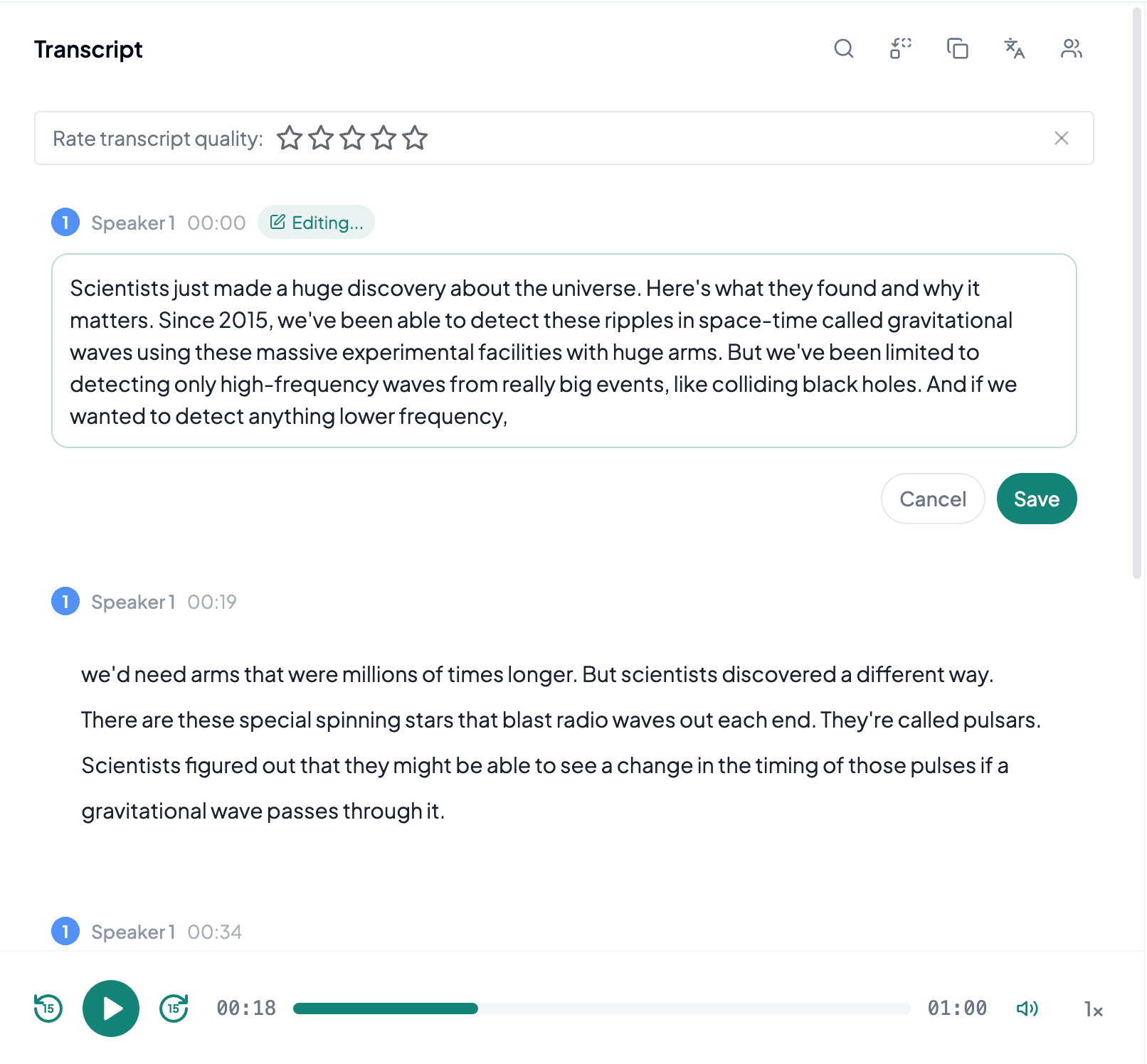
Convert Audio Files into Editable Text

Upload recordings, interviews, lectures, voice memos, or meetings and get a clean transcript you can search, edit, and share.

Generate Summary and Mind Map

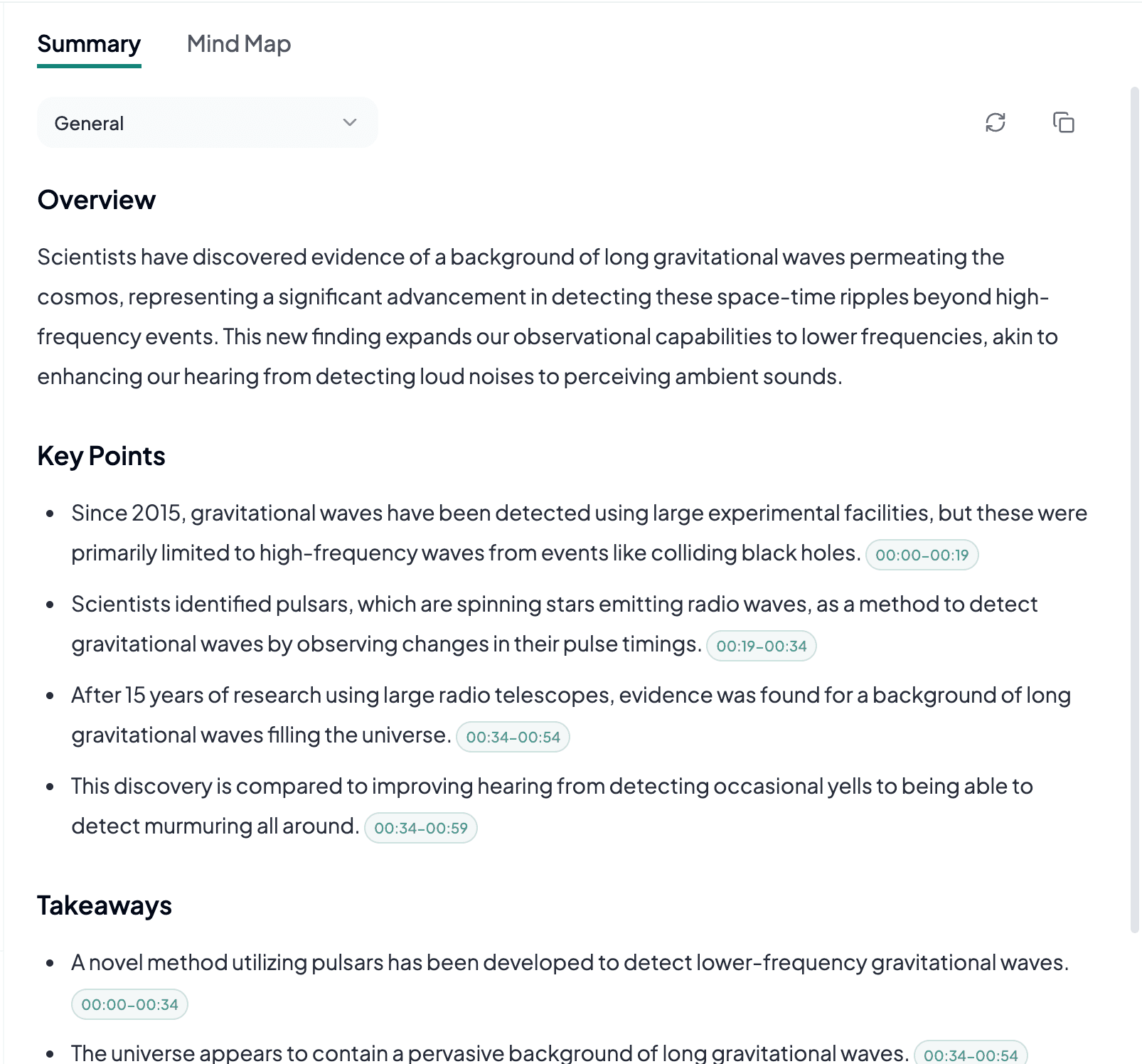
Summaries, Mind Maps, and Key Points

Turn long recordings into concise takeaways, visual mind maps, and focused notes for faster review.

Export and Share

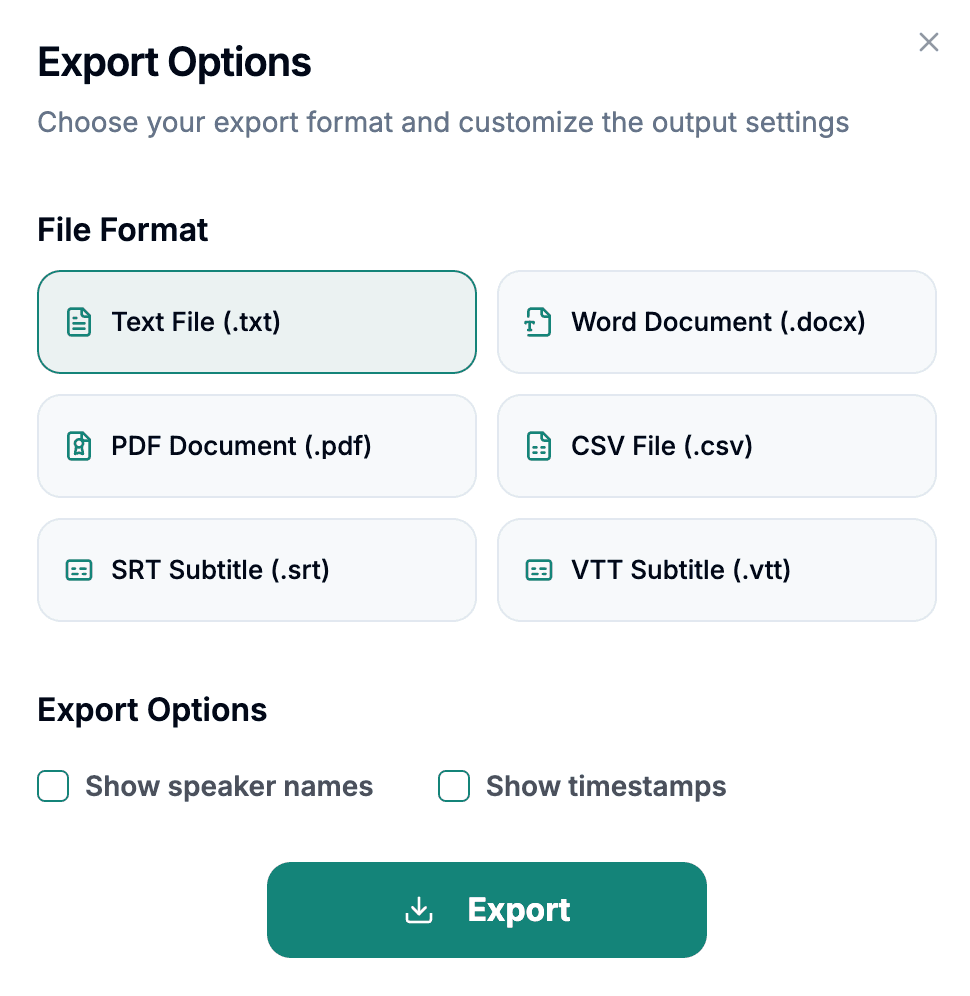
Export Transcripts in 6 Formats

Save your transcript as TXT, PDF, DOCX, SRT, VTT, CSV, including subtitle formats for caption workflows.

Start Transcribing for Free

Try Audio To Text Converter with free credits. Upgrade when you need longer audio files or more transcription time.

Free to Start

Upload files or paste supported links and generate transcripts quickly.

More Transcription Time

Upgrade when you need larger workloads, longer recordings, or more monthly transcription minutes.

Export Options

Download transcripts as TXT, PDF, DOCX, SRT, VTT, CSV for notes, subtitles, captions, or documentation.

Frequently Asked Questions