
Phone Voice Memos
Convert dictated ideas, reminders, interviews, or lectures recorded on a phone into searchable notes. Review passages affected by pocket noise, movement, distance, or notifications before treating the text as final.
Upload an M4A recording from a phone, recorder, or media workflow and turn its speech into searchable text.
or click to browse your computerTap to browse your files
Supported formats include 3GP, AAC, AMR, AWB, FLAC, M4A, MKA, MKV, MOV, MP2, MP3, MP4, MPG, OGA, OGG, OPUS, TS, WAV, WEBA, WEBM, WMA, WMV.
By using Audio To Text Converter, you agree to our Terms of Service and Privacy Policy.
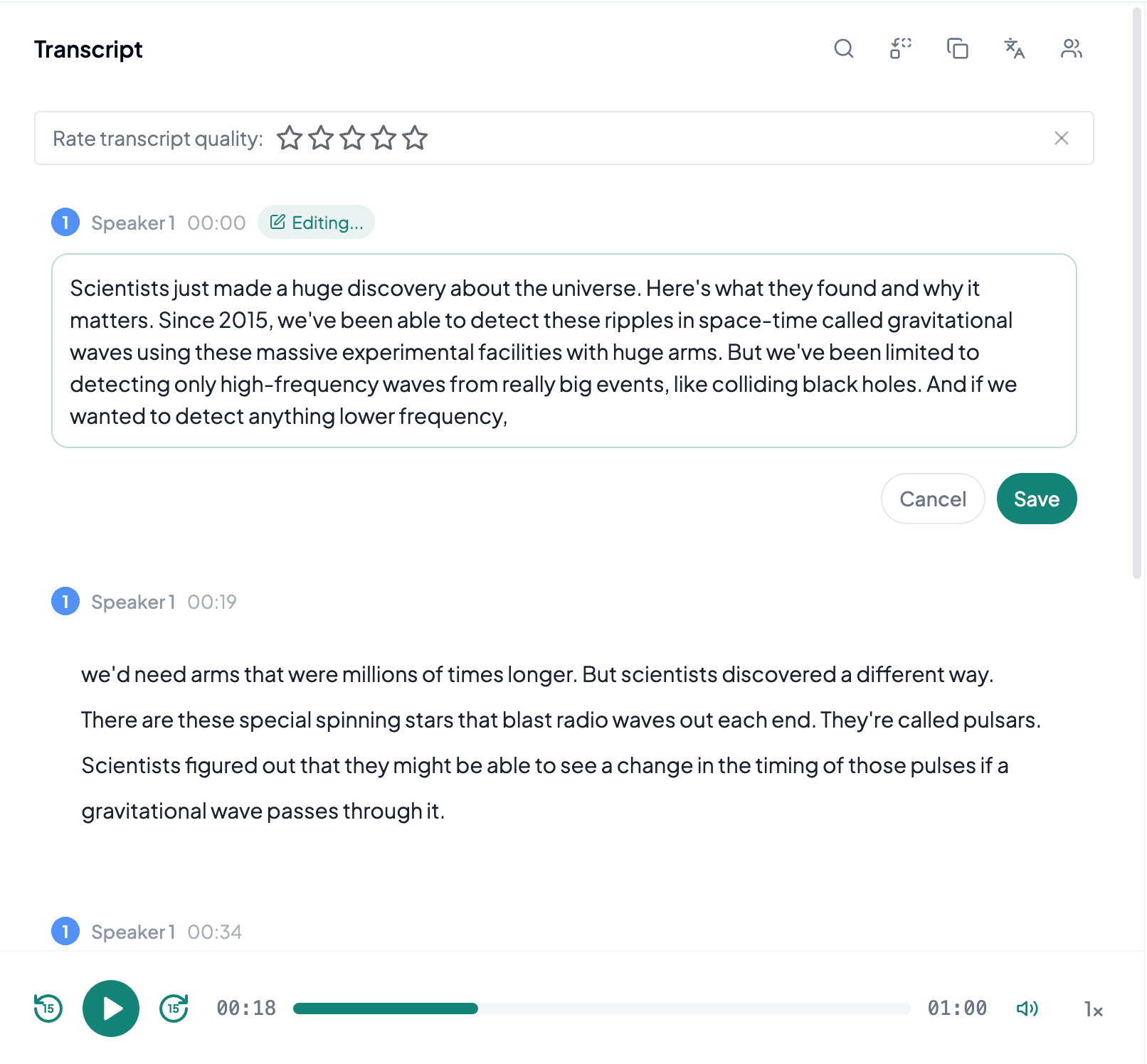
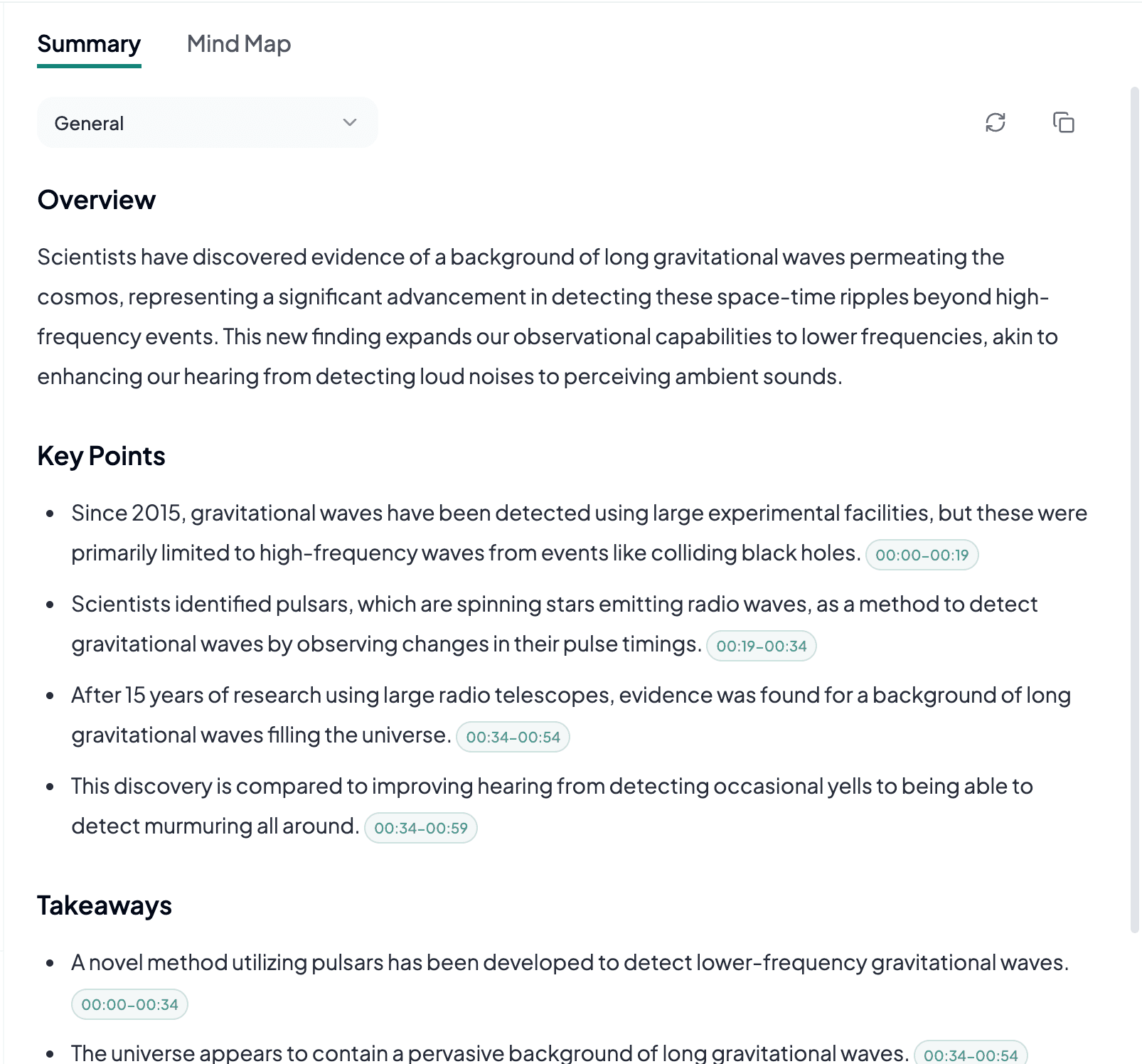
Add an M4A file, generate an editable transcript, and export notes, documents, or captions from the result.
Choose the original .m4a file from your phone or computer, verify its duration and playback, and upload it from the audio tab.
AI processes the spoken content and creates an accurate, readable transcript.
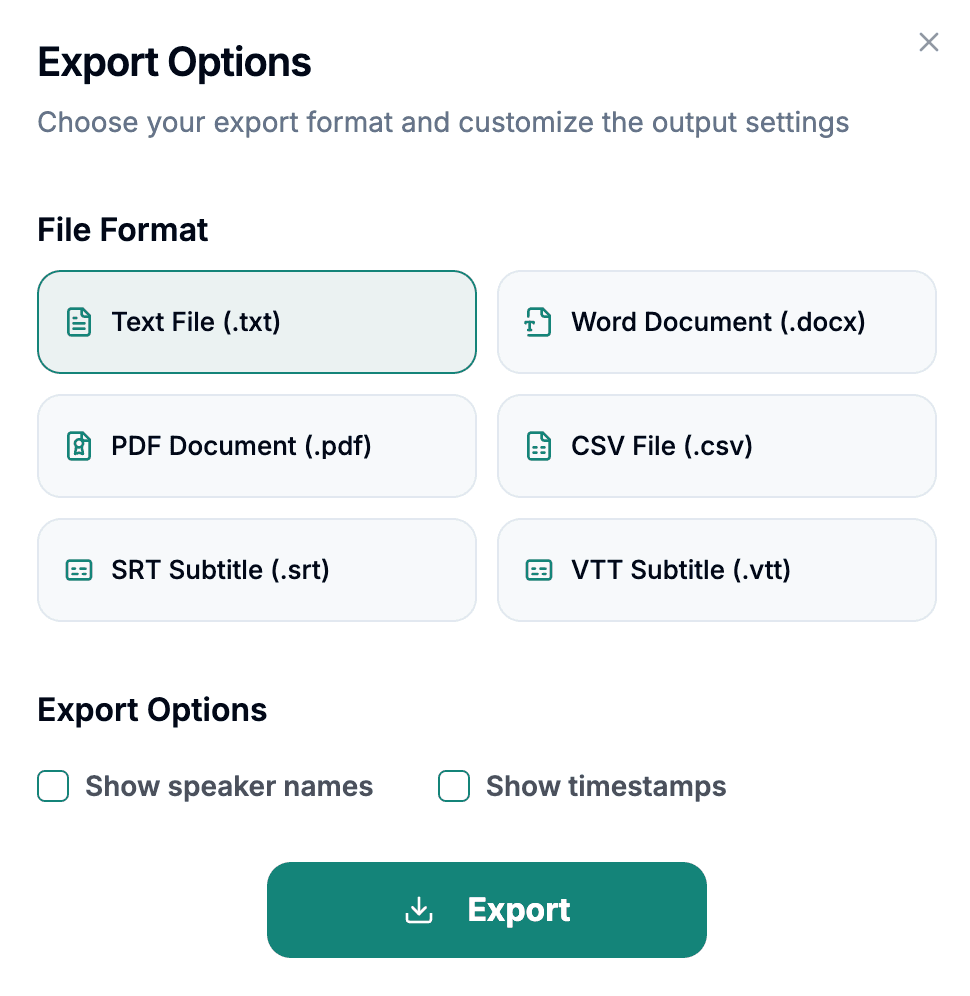
Download the transcript as TXT, PDF, DOCX, SRT, VTT, CSV, or use it for summaries, captions, and searchable notes.
Explore other audio formats supported by Audio To Text Converter.
M4A is an MPEG-4 audio container commonly used for voice memos, music, podcasts, and application exports. Many M4A files contain lossy AAC audio, while some use lossless ALAC. That means two files with the same extension may have different encoding, size, and quality characteristics. For transcription, you normally do not need to identify the codec manually; complete playback and intelligible speech are more useful checks than assuming every M4A behaves the same.
Apple devices and many mobile applications create M4A recordings, so these files often arrive with useful creation metadata and without a separate conversion step. Keep that original whenever possible. Sharing services or editing apps can make smaller derivatives, remove metadata, normalize volume, or truncate an interrupted upload. A larger original is not automatically better, but it is less likely to have suffered an additional lossy export after the recording was made.
M4A to text fits everyday recording workflows because phones and common media tools frequently use the container by default.
Convert dictated ideas, reminders, interviews, or lectures recorded on a phone into searchable notes. Review passages affected by pocket noise, movement, distance, or notifications before treating the text as final.
Editors may receive M4A from guests, remote recording tools, or distribution systems. A transcript supports quotations and repurposed content while the original file provides context for tone and uncertain wording.
Portable devices often create manageable M4A files for longer sessions. Text makes decisions or study topics easier to find, but overlapping speakers and questions from across a room still require correction.
M4A is usually ready to upload as-is; the main task is confirming that you have the complete, highest-quality copy from the recording device.
Export the original voice memo or recording instead of a version compressed again by a chat or social application.
Scrub near the end to confirm the file was fully transferred and that an interrupted sync did not produce a shortened copy.
A phone placed near one speaker may capture others at much lower volume. Mark their names and important statements for playback review.