
Screen Recordings and Tutorials
Convert narration from demos and walkthroughs into documentation, captions, or an article draft. Visual clicks and on-screen text may need separate notes because they are not explained by the audio track.
Upload a WEBM recording and extract spoken content from browser media, meetings, screen recordings, or downloaded web video.
or click to browse your computerTap to browse your files
Supported formats include 3GP, AAC, AMR, AWB, FLAC, M4A, MKA, MKV, MOV, MP2, MP3, MP4, MPG, OGA, OGG, OPUS, TS, WAV, WEBA, WEBM, WMA, WMV.
By using Audio To Text Converter, you agree to our Terms of Service and Privacy Policy.
Add a WEBM file, let the converter process its spoken audio track, and export reviewed text or subtitle-ready files.
Choose the original .webm file, confirm that its intended audio track is audible through the full duration, and upload it.
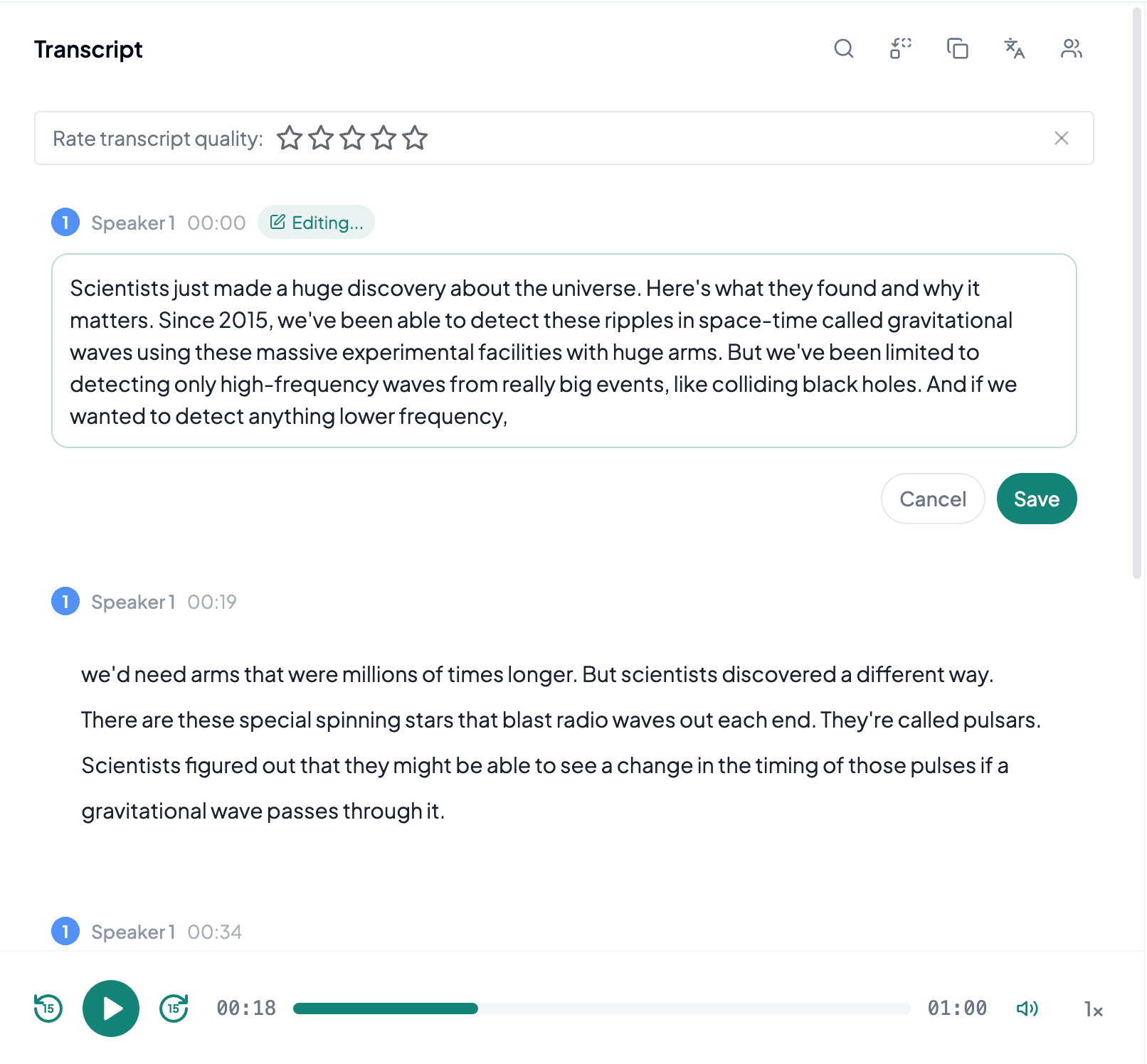
AI processes the spoken content and creates an accurate, readable transcript.
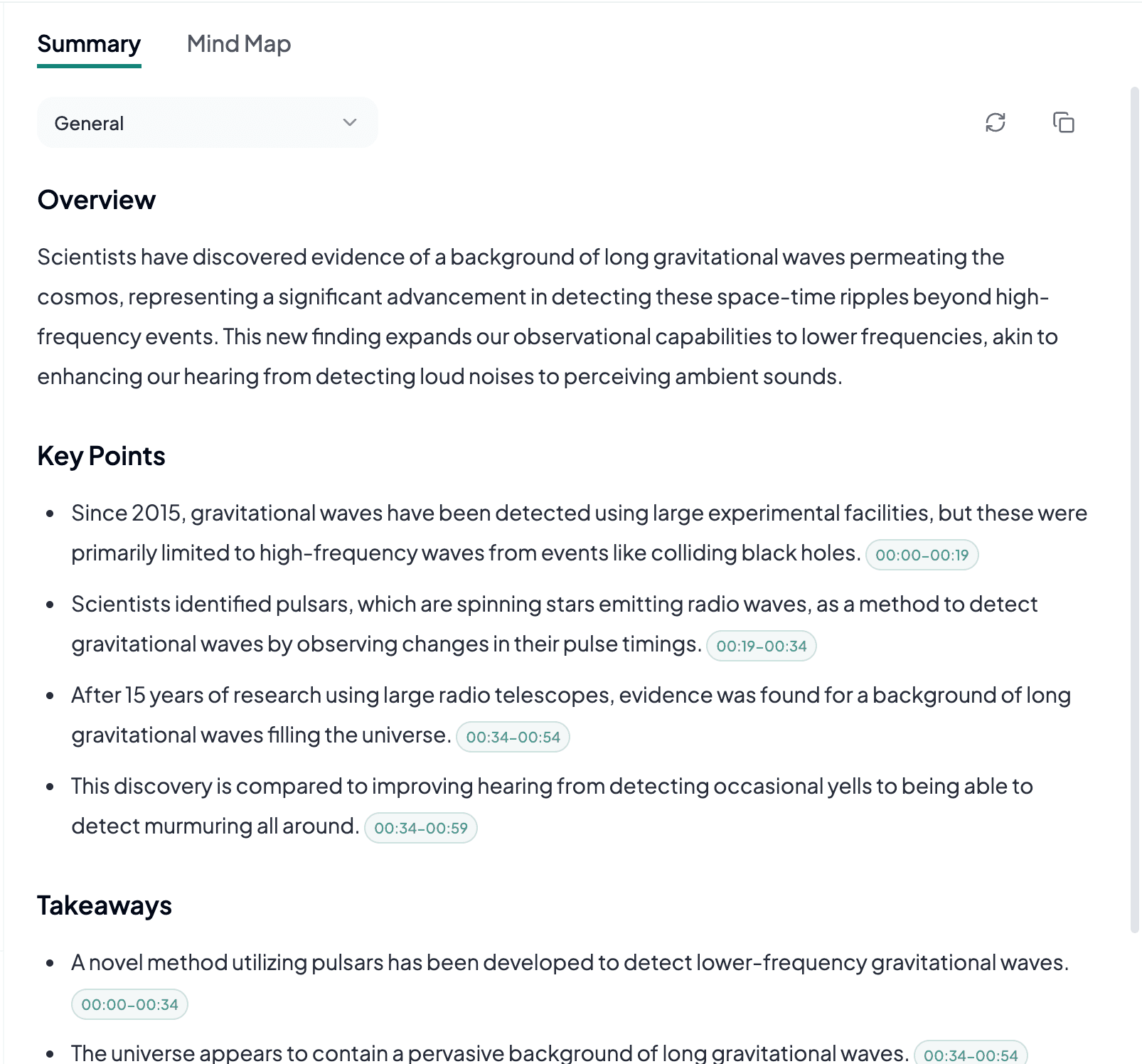
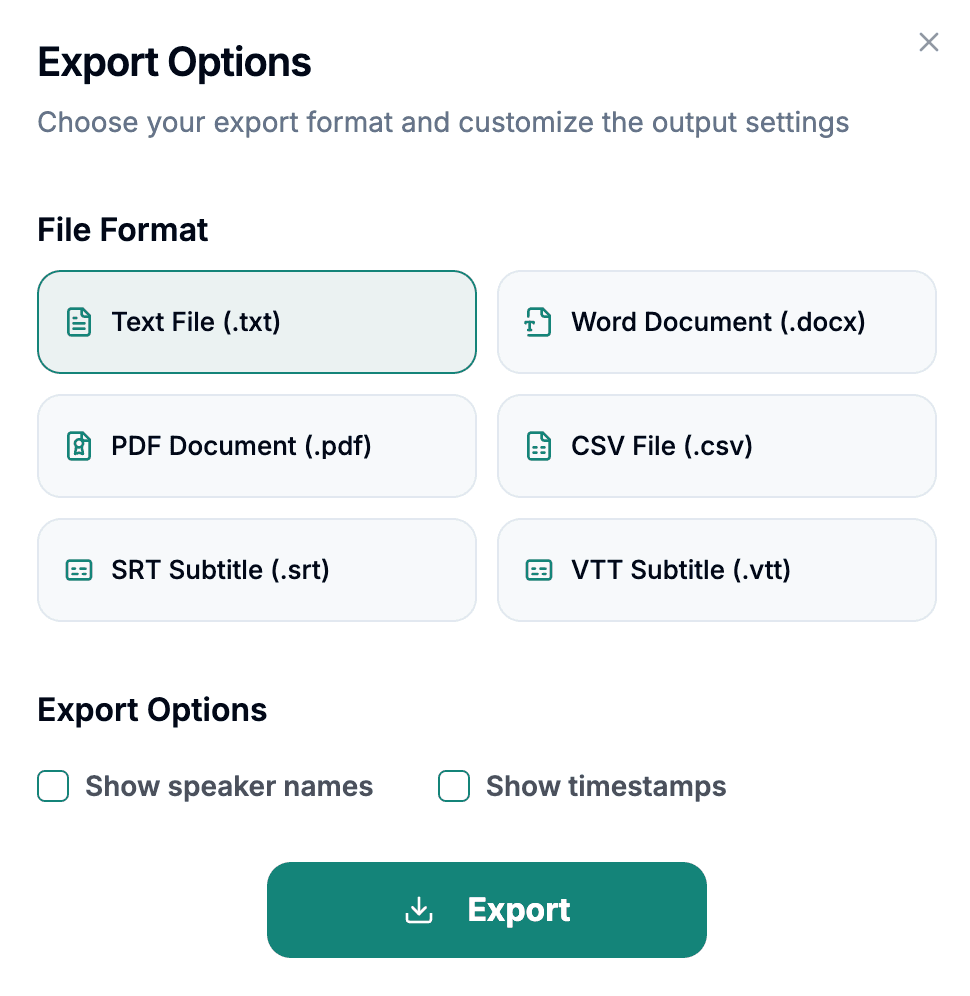
Download the transcript as TXT, PDF, DOCX, SRT, VTT, CSV, or use it for summaries, captions, and searchable notes.
Explore other audio formats supported by Audio To Text Converter.
WEBM is an open media container built for web delivery and can include video, audio, or both. Its audio commonly uses Opus or Vorbis, while the video may use codecs such as VP8, VP9, or AV1. For transcription, the converter works from the audible speech track; picture quality does not improve unclear dialogue. WEBM often comes from browsers, online meeting tools, screen recorders, webcams, and downloaded web content.
A WEBM recording can have more than one track or may reflect the limitations of a live browser session. Screen capture software might record system audio but miss the microphone, or capture the microphone while excluding remote participants. Tabs can crash, permissions can change, and long recordings can end without complete finalization. Play the whole file selectively before upload and confirm that every required speaker is actually present.
WEBM to text is useful when speech is embedded in web-native video or a browser-generated recording rather than stored as a conventional audio file.
Convert narration from demos and walkthroughs into documentation, captions, or an article draft. Visual clicks and on-screen text may need separate notes because they are not explained by the audio track.
WEBM may contain a recorded call or webcam interview. Text supports decisions and quotations, while network dropouts, echo cancellation, and missing participant audio require review.
Turn accessible web media into searchable notes or subtitles when you have the right to process it. Check for multiple languages, music-heavy passages, and commentary tracks.
A WEBM file needs an audio-track and completeness check because a correct video picture can coexist with missing or partial speech.
Sample local and remote voices. Screen recorders sometimes capture only one source even though the original meeting sounded complete.
Scrub near the end and compare the duration with the expected session before deleting browser caches or temporary recordings.
For tutorials and presentations, note slides, demonstrations, or on-screen labels that a speech-only transcript cannot describe on its own.